Operations
Integrations
Connect Planara to DMS, telemetry, ERP, notification, and identity systems.
What this page does
The Integrations page connects Planara to your existing tools and systems. Pull work orders from your dealer management system, send alerts via Slack or email, sync equipment data from telemetry providers, or connect to ERP for parts inventory.
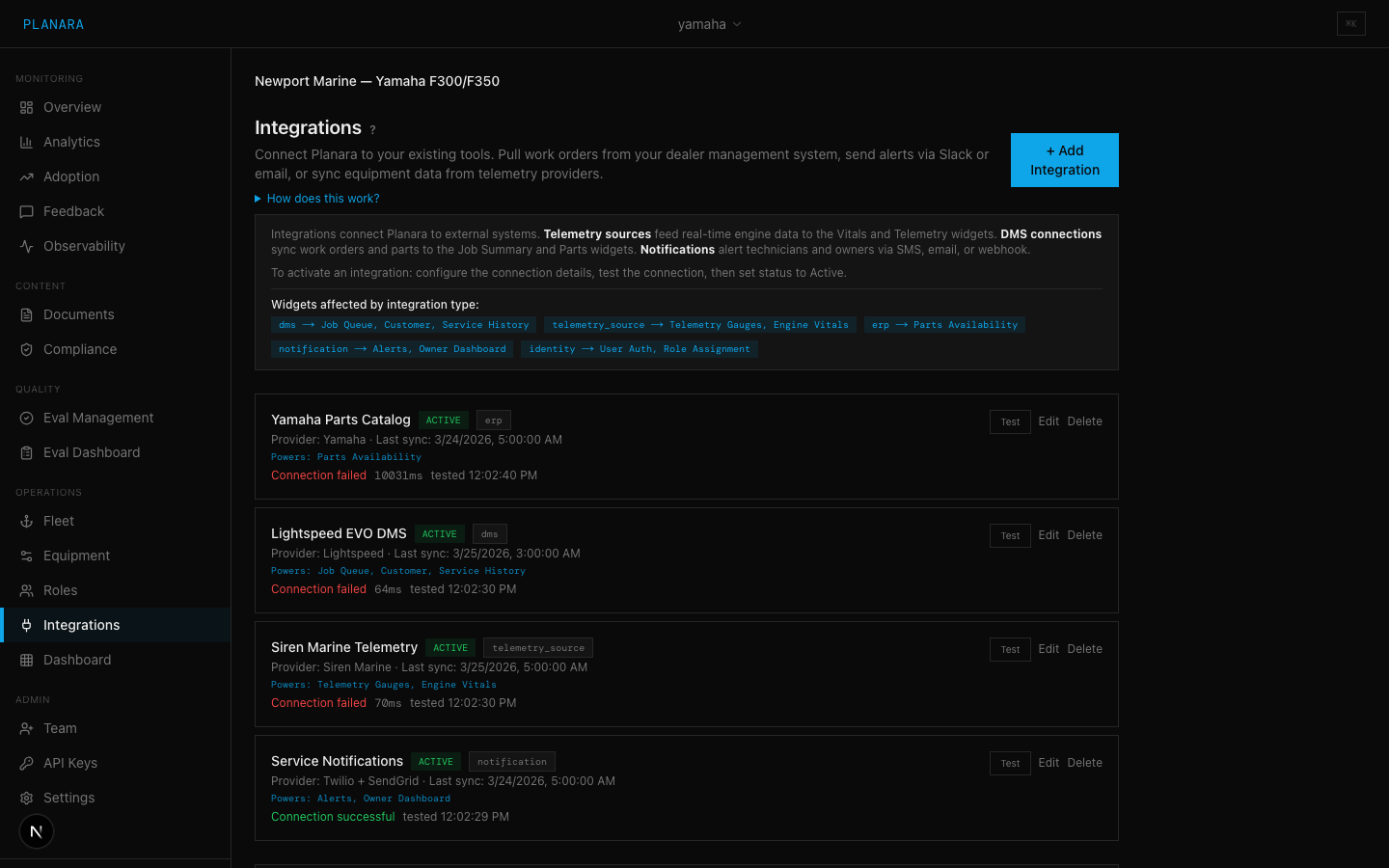
Integration types
| Type | Label | Description | Affected widgets |
|---|---|---|---|
dms | Dealer Management System | Work orders, customer records, service history | Job Summary, Parts, Queue |
telemetry_source | Telemetry Source | Real-time equipment data (RPM, temp, hours) | Vitals, Telemetry |
erp | ERP | Parts inventory, ordering, pricing | Parts, Inventory |
notification | Notification | Outbound alerts and messages | Alerts, Owner Dashboard |
identity | Identity | SSO and user management. Not yet implemented — the type can be recorded here, but no identity adapter ships today. Authentication is passwordless magic link. See Identity (SSO). | — |
Creating an integration
Click "+ Add Integration" and fill in:
| Field | Description |
|---|---|
| Name | Display name (e.g., "CDK DMS") |
| Type | Select from the five types above |
| Provider | The specific system or service. Suggestion chips appear based on type: Lightspeed, CDK, Siren Marine, SAP, SendGrid, Okta, etc. |
| Status | Initial status: Configured, Active, Error, or Disabled |
| Config (JSON) | Connection configuration as JSON. Typically includes API keys, URLs, and authentication details. |
Example config for a telemetry source
{
  "api_url": "https://api.sirenmarine.com/v1",
  "api_key": "sm_live_abc123...",
  "poll_interval_seconds": 300
}
Example config for a notification provider
{
  "api_key": "SG.abc123...",
  "from_email": "alerts@planara.com",
  "template_id": "d-12345"
}
Integration statuses
| Status | Badge | Description |
|---|---|---|
| Configured | Blue | Integration settings are saved but not yet verified |
| Active | Green | Integration is running and connected |
| Error | Red | Last connection attempt failed |
| Disabled | Gray | Integration is turned off |
Connection testing
Each integration has a "Test" button that verifies connectivity:
- If the config contains an
api_url,url, orendpointfield, Planara makes a HEAD request to verify the server responds - If no URL is configured, it falls back to a status-based check (configured/active = pass)
- Results show: success/failure, HTTP status code, response time in ms, and test timestamp
Active and configured integrations are automatically tested when you load the page.
Managing integrations
| Action | Description |
|---|---|
| Edit | Opens the form pre-filled with current settings |
| Delete | Removes the integration after confirmation |
| Test | Verifies connectivity |
Provider suggestions
When creating an integration, the provider field shows suggestion chips based on the selected type:
| Type | Suggestions |
|---|---|
| DMS | Lightspeed, CDK, Reynolds & Reynolds, DealerSocket |
| Telemetry | Siren Marine, NMEA 2000, OBD-II, HTTP Polling |
| ERP | SAP, Oracle, NetSuite, QuickBooks |
| Notification | SendGrid, Twilio, Slack, Webhook |
| Identity | Okta, Auth0, Azure AD, SAML |
How integrations flow into the frontend
When active, integrations feed data into the technician dashboard widgets:
- Telemetry data populates the Vitals and Telemetry widgets with real-time readings
- DMS data populates the Job Summary, Parts, and Queue widgets with work order information
- Notifications enable automated alerts to owners and technicians
- ERP data enriches parts information with pricing and availability
- Identity is reserved for SSO login and is not yet implemented — users authenticate by magic link today